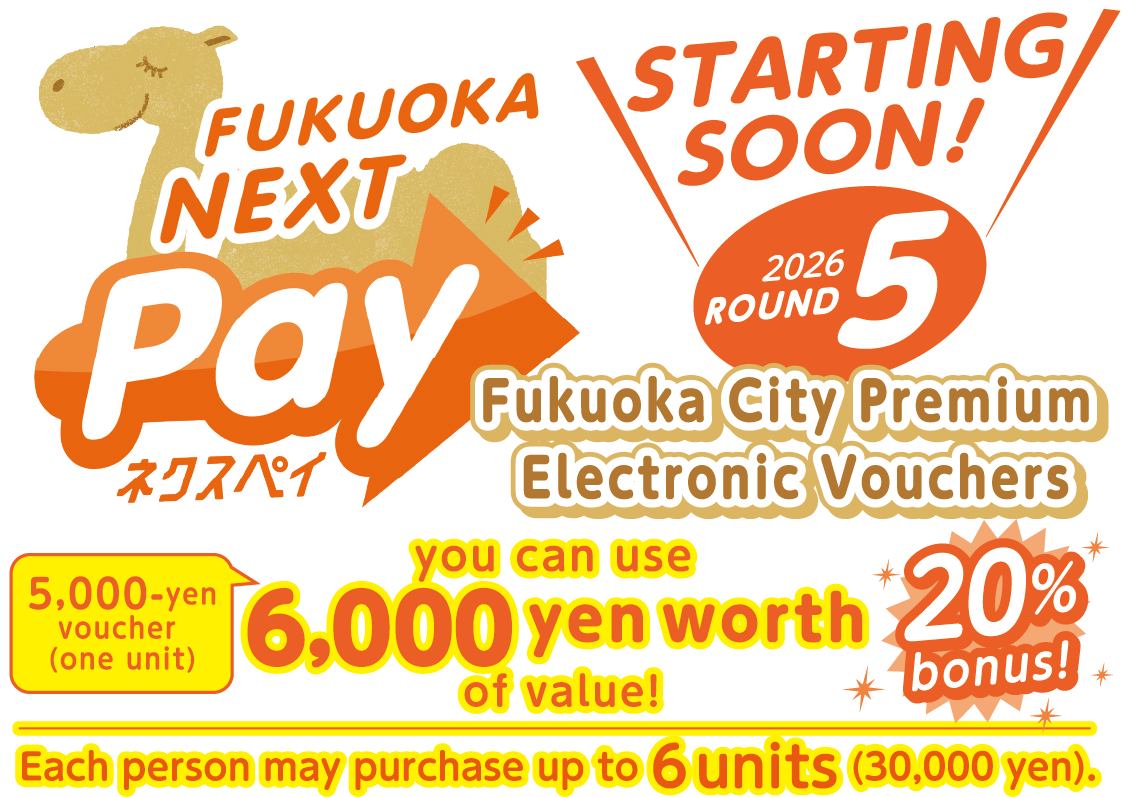
About NEXT Pay
The Fukuoka Chamber of Commerce and Industry, the Shika Chamber of Commerce, and the Sawara Chamber of Commerce will issue the fifth round of Premium Electronic Vouchers 'FUKUOKA NEXT Pay.' This initiative uses the national Priority Support Local Grant to stimulate consumption within the city and expand economic impact, supporting residents and local businesses affected by rising prices. These vouchers can be used via the digital currency platform app 'region PAY' and allow payment by smartphone or QR‑coded paper tickets.
Overview of the Vouchers
To purchase, you must apply via the website or a designated postcard.
Deadlines differ depending on the application method.
Eligible Applicants
Residents of Fukuoka City
Sales Method
Sales by Lottery
How to Apply for the Lottery
Apply via the web form below or by designated postcard.
Usage Period
From March 30, 2026 (Mon) 12:00 to September 30, 2026 (Wed) 23:59
You may use the vouchers after receiving the winning notification and completing the required purchase steps.
Voucher Purchase Period
[WEB Application]
March 30 (Mon) – April 17 (Fri)
[Postcard Application]
Upon receipt of the winning notification postcard – April 22 (Wed)
Voucher Sales Units
One unit is 5,000 yen (worth 6,000 yen). Up to six units (30,000 yen / worth 36,000 yen) may be purchased per person.
- Voucher Issuers
- Fukuoka Chamber of Commerce and Industry, Shika Chamber of Commerce, Sawara Chamber of Commerce
- Total Voucher Issuance Amount
- 12 billion yen (including 20% premium)
- Total Voucher Sales Amount
- 10 billion yen
How to Apply for the Lottery
There are two ways to apply for the lottery.
If duplicate applications are submitted, they will be invalid.

Smartphone users
Apply using the online form
You can apply using the dedicated online form below.
- Lottery Application Period
-
From March 13 (Fri) 9:00 a.m. to March 24 (Tue) 6:00 p.m.
To use the electronic vouchers, the 'region PAY' app must be installed on your smartphone.

Non-smartphone users
Apply using the designated postcard
You may apply using the designated postcard.
- Lottery Application Period
-
Must arrive by
March 23 (Mon).
To use the vouchers, you must purchase and print QR‑coded paper tickets at FamilyMart after winning.
Smartphone users
Easy 3 Steps to Use Your Vouchers!
Lottery Application form
(Japanese only)
(Accepting applications from 9:00 a.m. on March 13)
STEP. 1
Lottery Application
Enter the required information in the dedicated lottery application form and submit your application.
Lottery Application form(Japanese only)
(Accepting applications from 9:00 a.m. on March 13)
- Lottery Application Period
- From March 13 (Fri) 9:00 a.m. to March 24 (Tue) 6:00 p.m.
STEP. 2
Winning, Purchase, and Charge
Winners will be contacted by email. Follow the link in the email to complete payment by credit card or at FamilyMart and purchase your electronic vouchers. After payment, the vouchers will be charged to the app and can be used immediately at all Fukuoka NEXT Pay participating stores.
- Start of Purchase
- From March 30 (Mon).
(Purchases accepted until April 17)
STEP. 3
Use
Simply scan the QR code installed at the store to use your vouchers immediately.
- Usage Period
- March 30 (Mon) – September 30 (Wed)

- *You can apply for the lottery using a smartphone or computer, but to use the vouchers, the 'region PAY' app must be installed on a smartphone device.
- *If there are any errors in your application, it may not be eligible for the lottery.
- *Please note that you cannot change or cancel your application after it has been submitted, including modifying the number of units you wish to purchase.
- *The lottery results will be sent to the email address you registered.
- *Please be aware that we cannot resend the notification even if the email does not reach you.
Non-smartphone users
You can apply using the designated postcard.
The flyer that includes the postcard will be delivered to household mailboxes across Fukuoka City starting from March 5.
It will also be available at post offices within the city from March 9 onward.
Please note that distribution timing may vary by location, and the number of copies is limited.
- Lottery
Application Period - Must arrive by March 23 (Mon).
Process After Winning (Postcard Application)
STEP. 1
Winning Notification
Only those who win the lottery will receive a winning notification postcard. The postcard includes a unique 13-digit voucher exchange number.
STEP. 2
Purchase and Issuance
Using the 13-digit exchange number listed on the winning notification postcard, operate the multi-copy machine inside FamilyMart, pay at the register, and receive the QR?coded paper ticket.
- You will find the payment details in the winning notification postcard.
- Purchase Period
- Until April 22 (Wed) after the postcard arrives.
STEP. 3
Shopping with Paper Tickets
Available at stores displaying that paper tickets are accepted. Lost paper tickets cannot be reissued.
- Please be aware that paper tickets cannot be reissued if they are lost after use.
- Usage Period
- Until September 30 (Wed) after issuance.
Frequently Asked Questions
To be released later — Coming Soon!
Announcements
User information page has been released.
[Issuing Organizations]


